Enable Teleport VPN on Self-Hosted UOS After Migration
The Problem
If you've migrated from a self-hosted UniFi Network Server to UOS Server, you may discover that Teleport VPN is unavailable after the migration.
Why It Happens
This happens because Teleport is only enabled for the site flagged internally as the default site. During migration, the newly created default site remains the active default while your imported site does not inherit that status.
Before You Begin
This guide explains how to manually update the MongoDB database so your imported site becomes the default. Make a backup before proceeding, as this involves directly modifying the database.
Warning
- Editing the UniFi MongoDB database can permanently damage your configuration if done incorrectly.
- Back up your UOS Server before making changes.
- This procedure is unsupported by Ubiquiti.
- Verify your Object IDs carefully before running any update commands.
Prerequisites
- Self-hosted UOS Server
- SSH access
- Root or sudo privileges
- Basic Linux command-line knowledge
- Existing imported UniFi site
- MongoDB CLI available
Step 1 – SSH Into The Server
ssh user@your-serverStep 2 – Open the UOS Shell
uosserver shellStep 3 – Connect to MongoDB
mongo --port 27117Step 4 – Switch the Unifi DB
use aceStep 5 – List The Existing Site
db.site.find()Step 5a – You should see at least 2 sites. There will be other columns, but these are the ones we care about.
{ "_id" : ObjectId("[hex number 1]"), "name" : "default", "attr_no_delete" : true, "attr_hidden_id" : "default", "desc" : "Default" }
{ "_id" : ObjectId("[hex number 2]"), "desc" : "[imported site description]", "name" : "[imported site name]" }
Step 6 – Use these commands to swap the site details
Step 6a – Convert the imported site into the default site
db.site.update({ _id: ObjectId("[hex number 2]") }, { $set: { desc: "default", attr_hidden_id: "default", attr_no_delete: true, name: "default" }})Step 6b – Remove the default-only attributes from the original site
db.site.update({ _id: ObjectId("[hex number 1]") }, { $unset: { attr_hidden_id: "",attr_no_delete: ""}})Step 6c – Rename the old default site so it no longer conflicts
db.site.update({ _id: ObjectId("[hex number 1]") }, { $set: { name: "old_default", desc: "old_default"}})Verify The Changes
Step 7 – List the updated sites in the database
db.site.find()Step 7a – You should see at least 2 sites. Their attributes should now be swapped.
{ "_id" : ObjectId("[hex number 2]"), "name" : "default", "attr_no_delete" : true, "attr_hidden_id" : "default", "desc" : "Default" }
{ "_id" : ObjectId("[hex number 1]"), "desc" : old_default, "name" : old_default }
Confirm that:
- The imported site is now named "default"
attr_hidden_idis set to"default"attr_no_deleteis present
Once we have confirmed the data looks correct, we can back out and restart UOS.
exitexituosserver stopuosserver startStep 7b – Once restarted, we should see the following in the UI.
- Teleport appears under Settings → VPN after restarting UOS

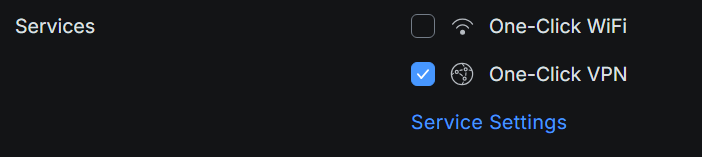
- With UID configured, One-Click options appear under Settings -> Identity
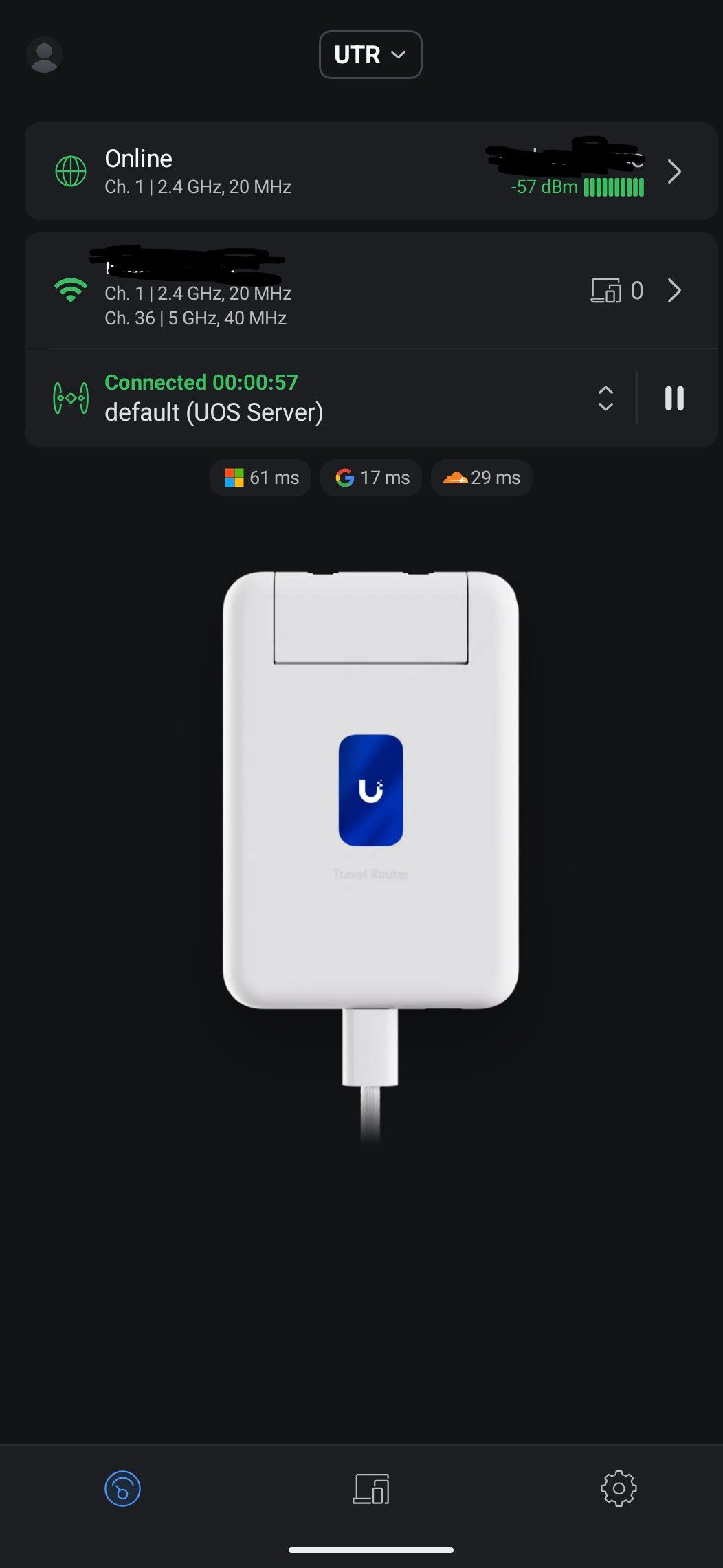
- With my UTR, you should now see a valid Teleport endpoint to connect to.
Troubleshooting:
Teleport still doesn't appear
- Clear browser cache
- Wait several minutes after restarting
- Verify the MongoDB changes
- Confirm the imported site is now named "default"
MongoDB connection failed
Possible causes:
- Wrong port
- UOS shell not active
- MongoDB service not running
Tested with:
- UOS Server version: 5.1.19
- UniFi Network version: 10.4.57
- Last verified: July 2026
Conclusion
By manually promoting your imported site within MongoDB, you effectively bridge the gap between legacy self-hosted configurations and the modern UOS architecture. While it is frustrating that the UI doesn’t currently offer a native "Set as Default" toggle, this database swap ensures you can finally leverage the full power of Teleport VPN and UniFi Identity on your own hardware.
Moving forward, remember that because this is a core database modification, you should double-check your site settings after any major UOS firmware updates to ensure the "default" flag persists. With Teleport now active, your self-hosted environment is officially on par with Ubiquiti’s premium hardware consoles, providing seamless, encrypted remote access for your UniFi Travel Router and mobile devices.
If you encountered any issues during the MongoDB swap or with anything else specific to your version, please leave a comment below to help others in the community. Safe hosting!